Piano software · Windows & macOS

Piano,
one note at a time.

Zalmaya drops the notes of your songs onto a glowing keyboard, teaches you piano step by step and helps you work on every passage, with your MIDI keyboard or your computer keyboard.

Free to start · Account optional

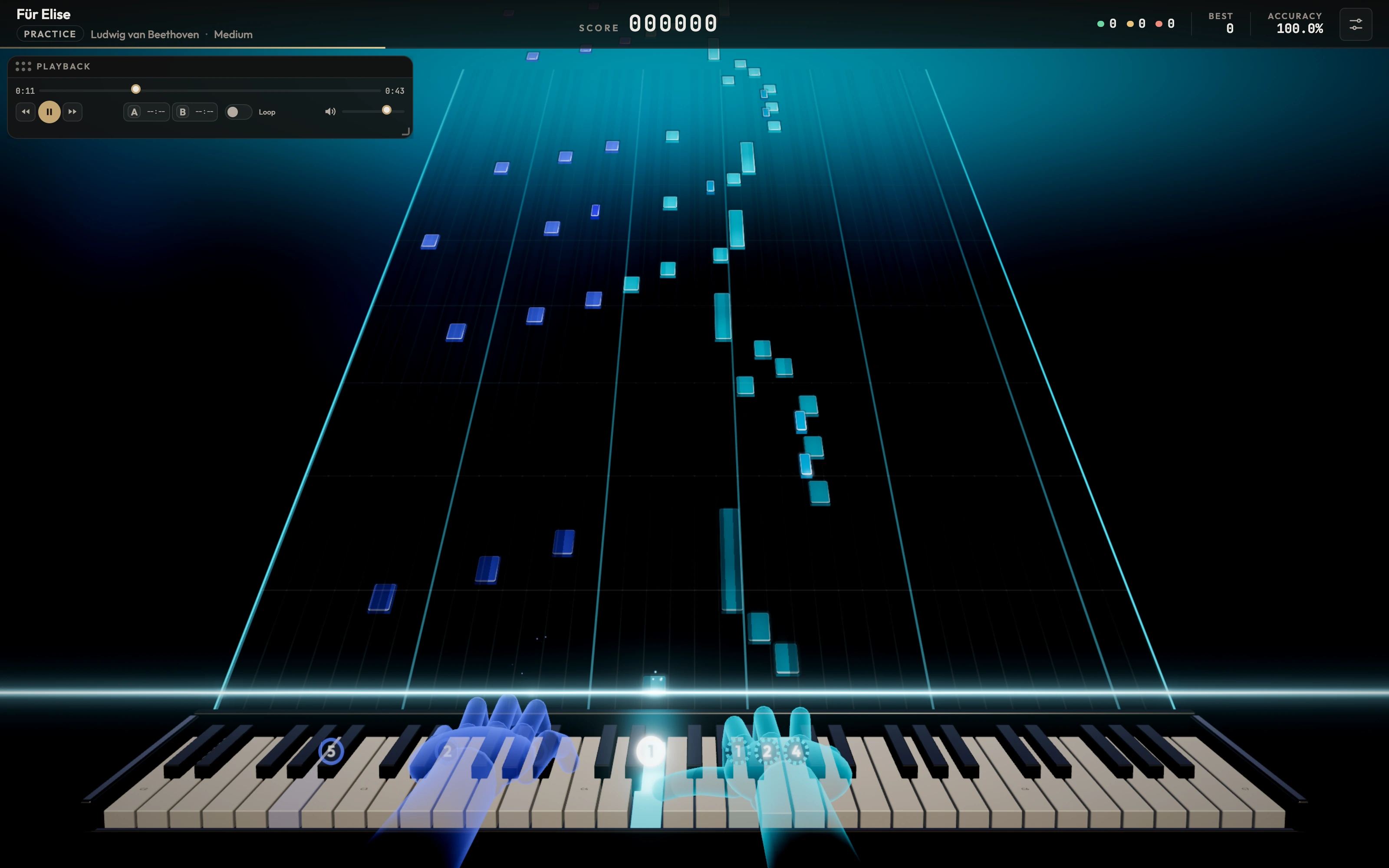
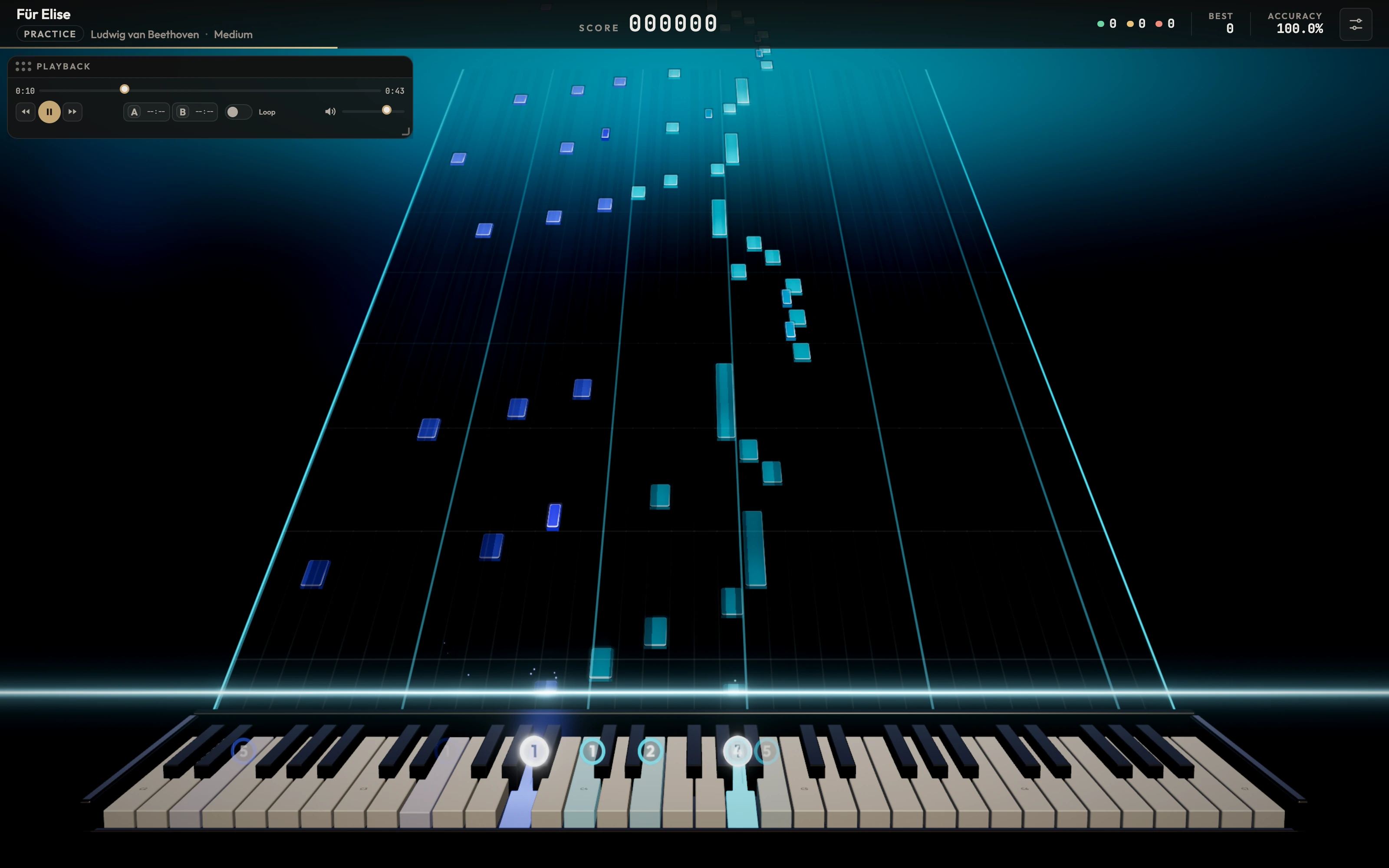
Zalmaya in 3D view: the notes of “Für Elise” fall towards a lit piano keyboard, hands played automatically
guided lessons
20
two game views
3D · 2D
keys supported
25 → 88
your own songs
.mid

Three ways to play

Learn, practise, play.

Whether you're putting your hands on a keyboard for the first time or preparing a whole piece, Zalmaya adapts to what you're after.

Learn

Lessons of just a few minutes, one idea at a time.

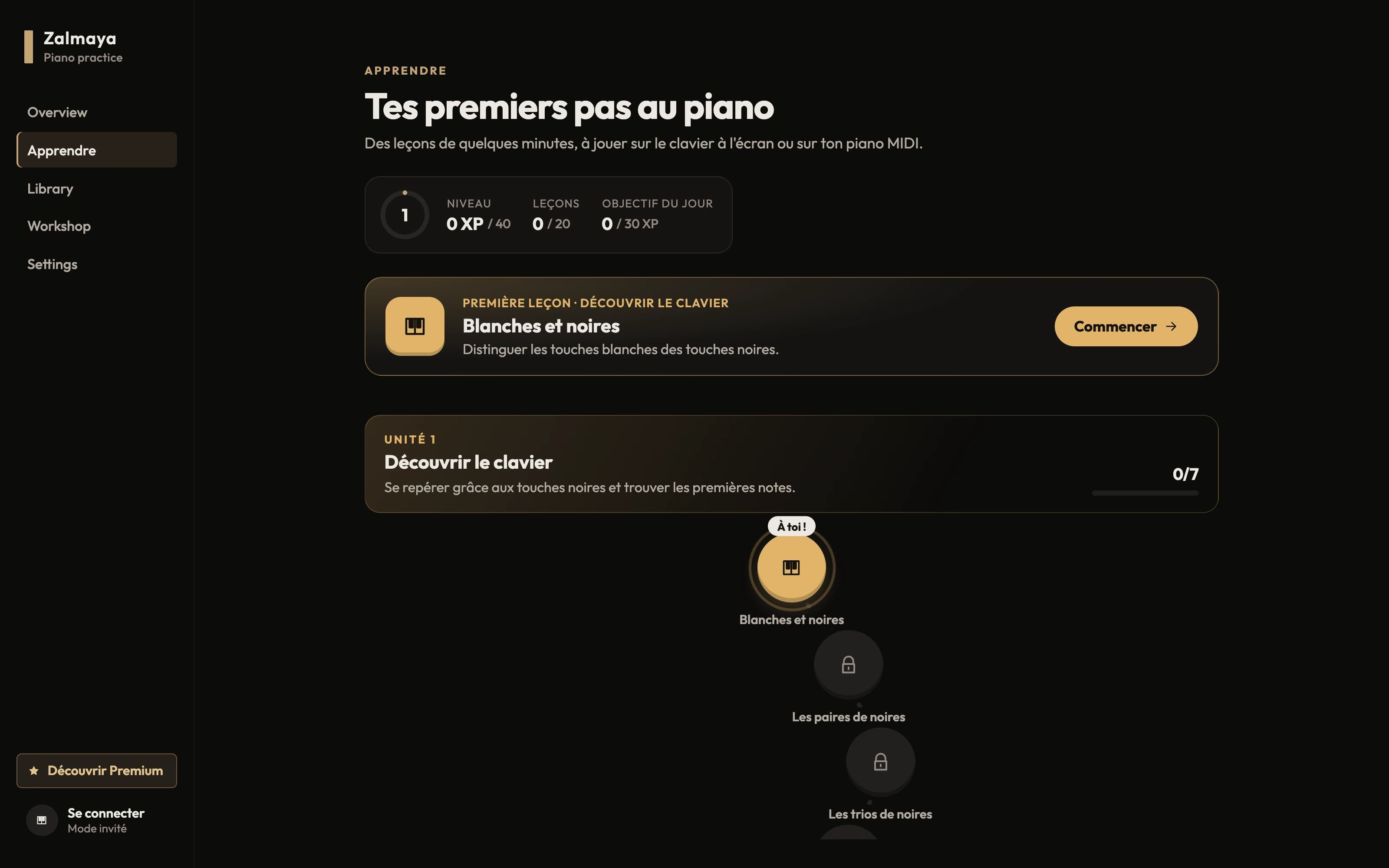
Twenty mini-lessons to find your way around the keyboard, find your first notes, feel the pulse and play your first melodies. Visual hints fade as you progress, and what you've already learned comes back for review.

  • On the on-screen keyboard or your MIDI piano
  • XP progression and a daily goal
  • Units 1 and 2 are free
Zalmaya's Learn path: first lesson “White and black” and the Discover the keyboard unit

Practice

Virtual hands to show you the way.

Zalmaya works out a fingering for every note and shows two hands above the keyboard, with finger numbers. Slow the piece down, let it wait for your note, and move forward at your own pace.

  • Adjustable speed and wait for notes
  • Automatically calculated fingering
  • A–B loop and hand assist with Premium
Zalmaya's Practice mode: blue virtual hands resting on the 3D keyboard, finger numbers above the keys

Performance

Play the whole piece, and aim for an S rank.

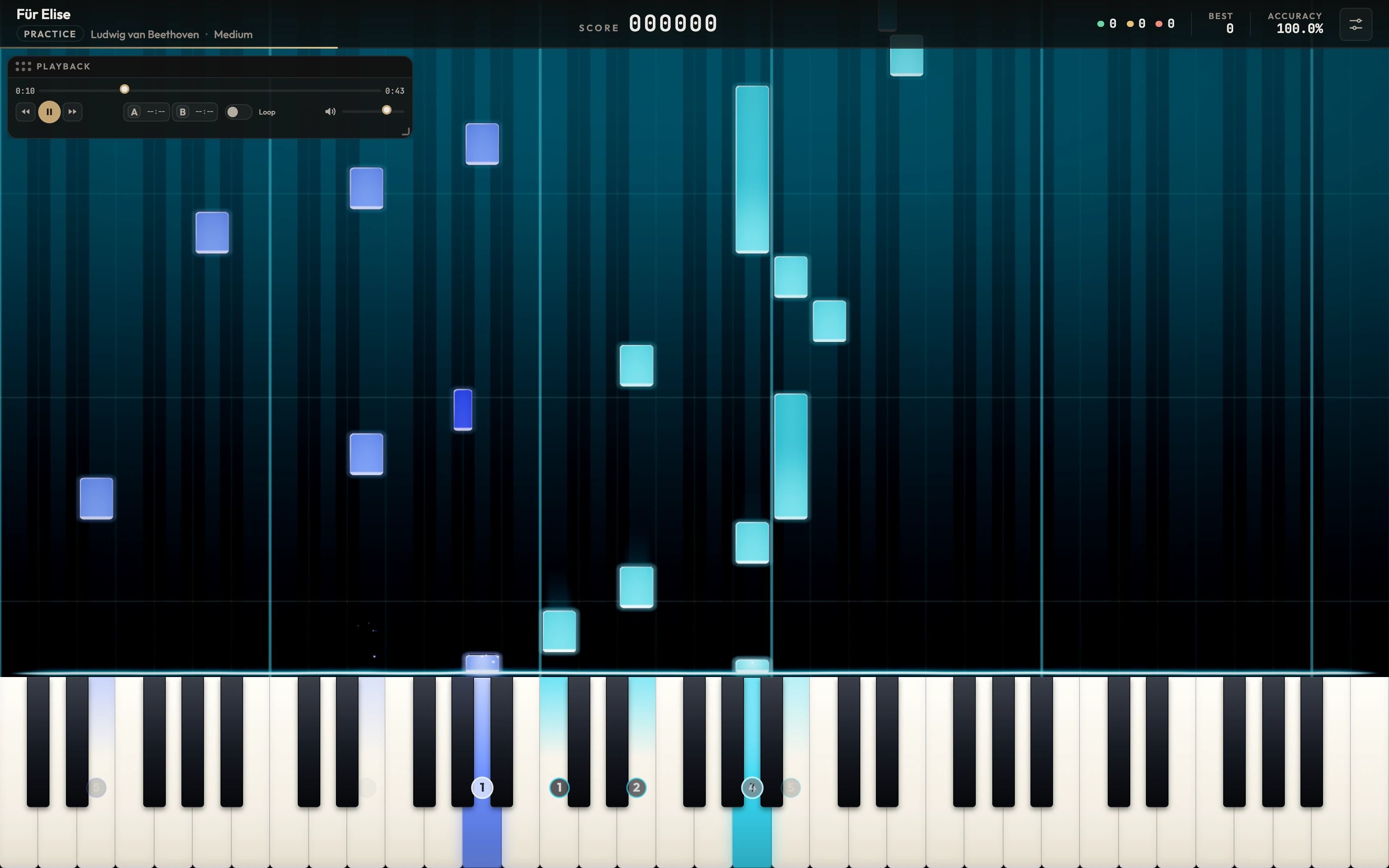
Every note is judged the moment you play it. Chain combos, follow your accuracy live and find your best score in your library. In immersive 3D or classic 2D view, your choice.

  • Perfect, Good and Miss judgements
  • Score, combo, accuracy and final rank
  • Best results saved for each song
Zalmaya's 2D view: blue and cyan notes falling towards a large keyboard, played keys lit up

MIDI

Your songs. Your keyboard.

Import any MIDI file: Zalmaya separates the left and right hands and turns it into a glowing score ready to play.

MIDI files

A library of your own

  • Import .mid and .midi files
  • Automatic detection of both hands
  • Covers, tags, difficulty levels and search
  • Automatic import from a folder Premium
All about MIDI files
Notes from a MIDI file split between the left hand and the right hand
Right handLeft handAutomatic split on import

Keyboards

From 25 to 88 keys

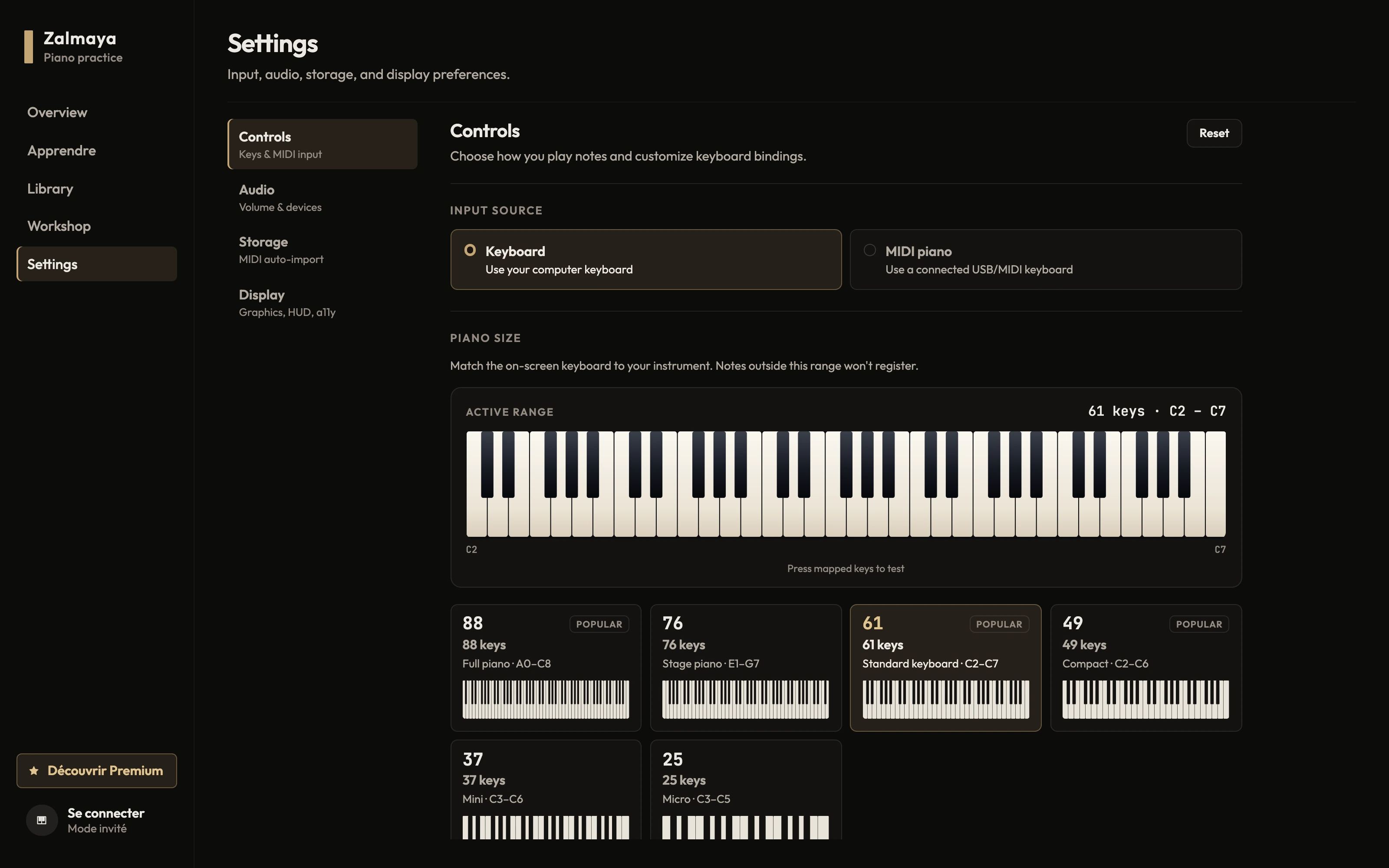
Plug in your MIDI keyboard and choose its size, or play with your computer keyboard and keys you set up yourself. Latency compensation keeps sound and picture in sync.

Keyboard compatibility
Zalmaya settings: choice between computer keyboard and MIDI piano, keyboard size from 25 to 88 keys

The learning experience

From your first key to Ode to Joy.

Each lesson brings just one new idea. You play, Zalmaya listens and corrects you, then the help fades away so you find the notes on your own.

Discover Learn mode
  1. Unit 1

    Discover the keyboard

    White and black keys, groups of keys, finding C, D, E, F.

    7 lessonsFree
  2. Unit 2

    First notes

    Middle C, G, A, B, octaves and a first sequence.

    5 lessonsFree
  3. Unit 3

    Rhythm

    The pulse, playing in time, long and short notes, copying a pattern.

    4 lessonsPremium
  4. Unit 4

    First melodies

    Frère Jacques, Au clair de la lune and Ode to Joy, all the way through.

    4 lessonsPremium

Your stage

A backdrop and a sound that suit you.

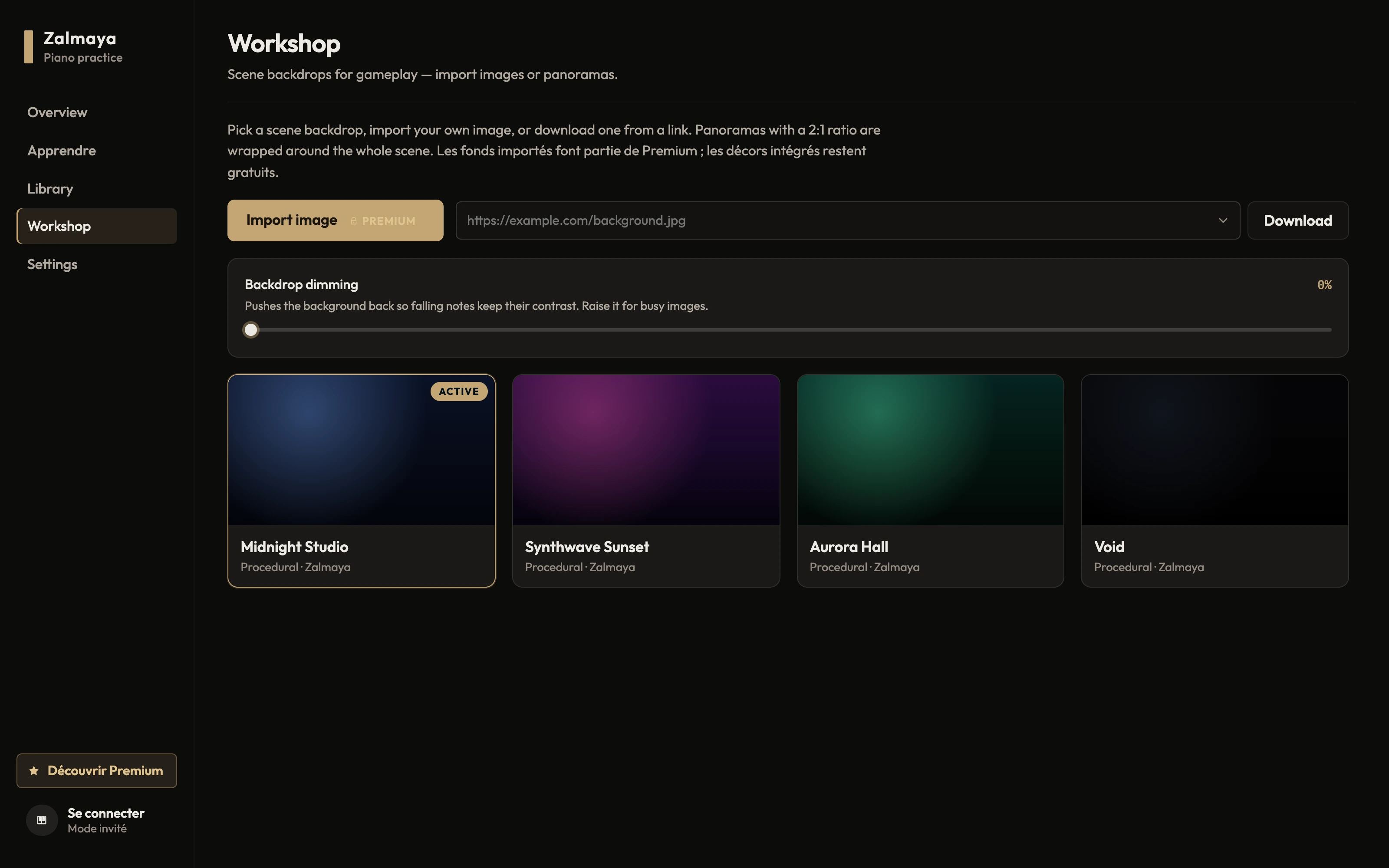
Choose your backdrop, your instrument and your effects. The Classic pack includes a Yamaha CFX, a Steinway D, an upright piano, a felt piano, a Rhodes and a harpsichord.

  • Midnight Studio, Synthwave Sunset, Aurora Hall and Void backdrops
  • Stage effects, particles, 3D or 2D view
  • Creator mode to film your playing, including in 9:16
  • Retro and Fantasy packs, backgrounds and 360° panoramas Premium
Zalmaya Workshop: gallery of Midnight Studio, Synthwave Sunset, Aurora Hall and Void backdrops

Zalmaya Premium

To go further.

The free version is enough to discover the piano. Premium unlocks the full path and the tools to work seriously on your pieces.

  • Full Learn path

    The Rhythm and Melodies units: pulse, long and short notes, then your first complete pieces.

  • A–B loop

    Repeat a tricky passage as many times as you need, without going back to the start.

  • Hand assist

    Let Zalmaya play one hand while you work on the other.

  • Instrument packs

    The Retro and Fantasy packs: 8-bit sounds, bells, choirs and pads.

  • Custom stage backgrounds

    Import your own images and 360° panoramas as a game backdrop.

  • Automatic import

    Link a folder: your new MIDI files join the library on their own.

Ready to put your hands on the keys?

Zalmaya is free to start, no account required. Unlock Premium whenever you want to go further.

Download ZalmayaSee Premium

The installers have not been published yet.